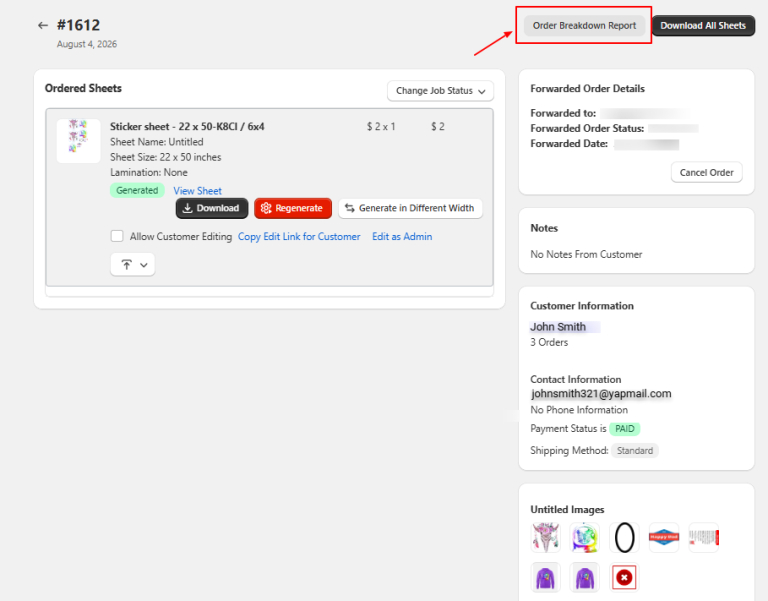
Kixxl provides an Order Breakdown Report that gives admins a detailed overview of each order. To access the report:
Go to Kixxl → Orders
Open the desired order.
Click the Order Breakdown Report button on the top right corner.
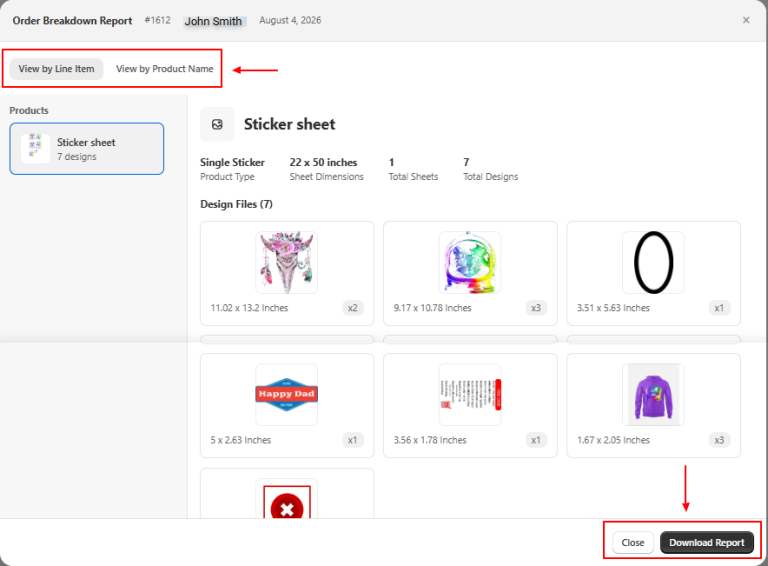
A new window opens, displaying a detailed summary of the order. The report can be viewed in two different formats:
View by Line Items (Displays the order’s one item at a time. Each line item includes all the details for that specific item, such as its product type, design size, design files, number of sheets, and number of designs).
View by Product Name (Displays the order by grouping items with the same product name. This makes it easier to see all designs and files associated with a specific product in one place, along with the product type and product name).
Download the Report
Admins can download the Order Breakdown Report for record-keeping, order verification, or sharing with their production team.