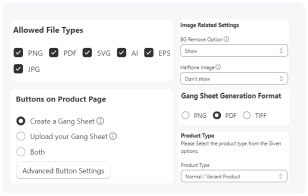
How to Configure Allowed File Types for Uploads?
What are “Allowed File Types”? In Kixxl, the Allowed File Types are the formats of design/image that customers can upload into the editor. By defining which files types are allowed to upload, Kixxl ensures smooth uploading, editing, and exporting of designs without compatibility issues. Which File Formats are Allowed for Upload? PNG: Supports transparency, best […]
Variant Selection on Auto Build: AI vs. Customer Selection
This setting controls how different image sizes or variants are arranged on a gang sheet during Auto Build (automatic sheet generation). Here, you have two options: Letting AI decide & Customer selection. Letting AI Decide: Kixxl’s AI automatically choose the best image size to fit the selected sheet dimensions. It ensures a uniform layout where […]
How to Configure Auto-Rotate for Large Images in Kixxl?
Auto-Rotate in Kixxl: In the Kixxl editor, the Auto Rotate feature automatically rotates bigger images or designs to fit more efficiently on a gang sheet. If the image is too large for the sheet, it won’t be added. Instead of leaving designs in their original orientation, the editor adjusts them with auto-rotate to minimize wasted […]
How to Configure Buttons on Product Page?
Buttons on Product Page: While setting up products in Kixxl, you can configure different buttons that customers see on the product page. These buttons define how customers interact with Kixxl. 1. “Create a Gang Sheet” button This button opens the Kixxl Editor for the customer. Customers can design their own gang sheet by uploading artwork, […]
How to Set Up Image Halftoning?
Halftoning feature in Kixxl editor lets you prepare your designs for printing with smooth gradients and shading using tiny dots. Instead of printing solid colors everywhere, halftoning breaks down your image into patterns of dots that create the effect of depth, highlights, and shadows. You can fine-tune Halftoning settings depending on how much detail or […]
How To “Nest Sheets” in Kixxl Editor?
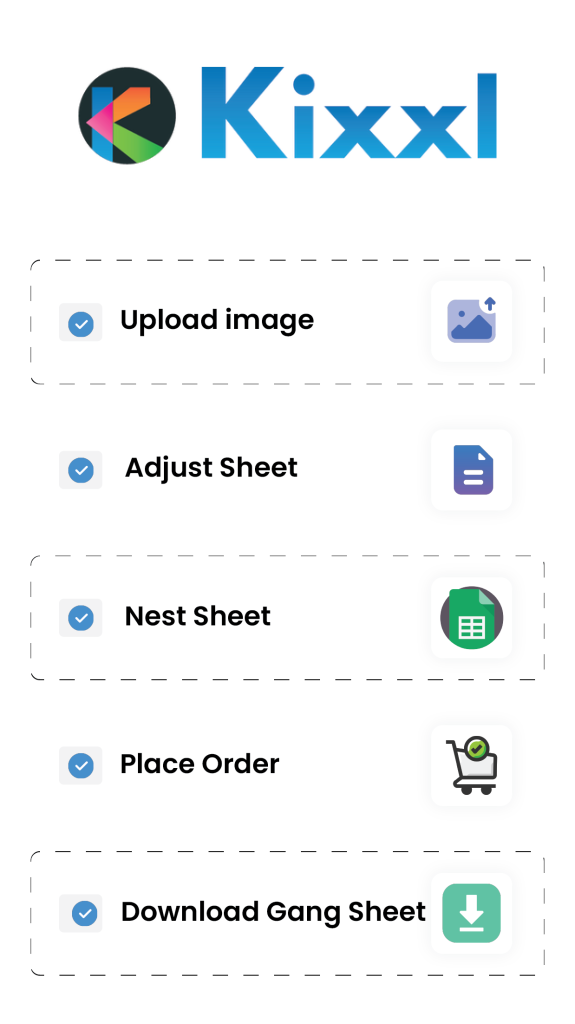
The Kixxl Editor makes it easy to design, customize, and arrange your gang sheets before printing. This guide walks you through all the tools and features step by step so you can get the most out of the editor. Make sure you are logged into the same Shopify store where Kixxl is installed to access […]
Using Kixxl Editor: Advanced Image Tools
The Kixxl Editor makes it easy to design, customize, and arrange your gang sheets before printing. This guide walks you through all the tools and features step by step so you can get the most out of the editor. Advance Image Tools in Kixxl Editor In Kixxl Editor, the advance Image tools such as Image Halftoning […]
Using Kixxl Editor: Image Layout & Spacing
The Kixxl Editor makes it easy to design, customize, and arrange your gang sheets before printing. This guide walks you through all the tools and features step by step so you can get the most out of the editor. Image Layout & Spacing Settings In Kixxl Editor In Kixxl Editor, the Image Layout & Spacing settings […]
Using Kixxl Editor: Images & Design Tools
The Kixxl Editor makes it easy to design, customize, and arrange your gang sheets before printing. This guide walks you through all the tools and features step by step so you can get the most out of the editor. Make sure you are logged into the same Shopify store where Kixxl is installed to access […]
Using Kixxl Editor: How to Add Text?
The Kixxl Editor makes it easy to design, customize, and arrange your gang sheets before printing. This guide walks you through all the tools and features step by step so you can get the most out of the editor. Make sure you are logged into the same Shopify store where Kixxl is installed to access […]