How to Set Up and Use a Prepaid Product in Kixxl?
What is Prepaid Product? Instead of paying for a sheet order separately every time, Kixxl’s Prepaid Product allows customers to purchase a certain amount of sheet space in advance. For example 2,000 square inches for $100. Once the customer successfully purchases a prepaid product, the purchased square inches are added to their Kixxl account balance […]
Confirmation Popup After clicking “Save” on Edit Image option
After editing a image in the Kixxl Editor, when you click Save to apply the changes, a confirmation popup appears with the following options: Continue Editing (it will return to the kixxl’s image customization window. This allows you to make additional edits using the available editing tools before saving the final version) OR Add to […]
How to View Your Artwork on Mockups?
Kixxl allows users to preview their uploaded artwork on different products before generating the final gang sheet. This feature helps users visualize how their design will appear on real products before sending it for printing. After uploading an image to the Kixxl AI Builder, A View on Mockups link is displayed on image’s Properties Panel […]
Image Folder Management (Upload Library) for Customers
Assign Folder to Uploaded Images Kixxl allows users to organize uploaded images into folders/categories, making it easier to manage and reuse artwork. After uploading images in the Kixxl Editor, click the three-dot (…) icon on any uploaded image and select the Assign Folder option. You will see the following options: Create New Folder (by clicking […]
What is Order Breakdown Report Feature?
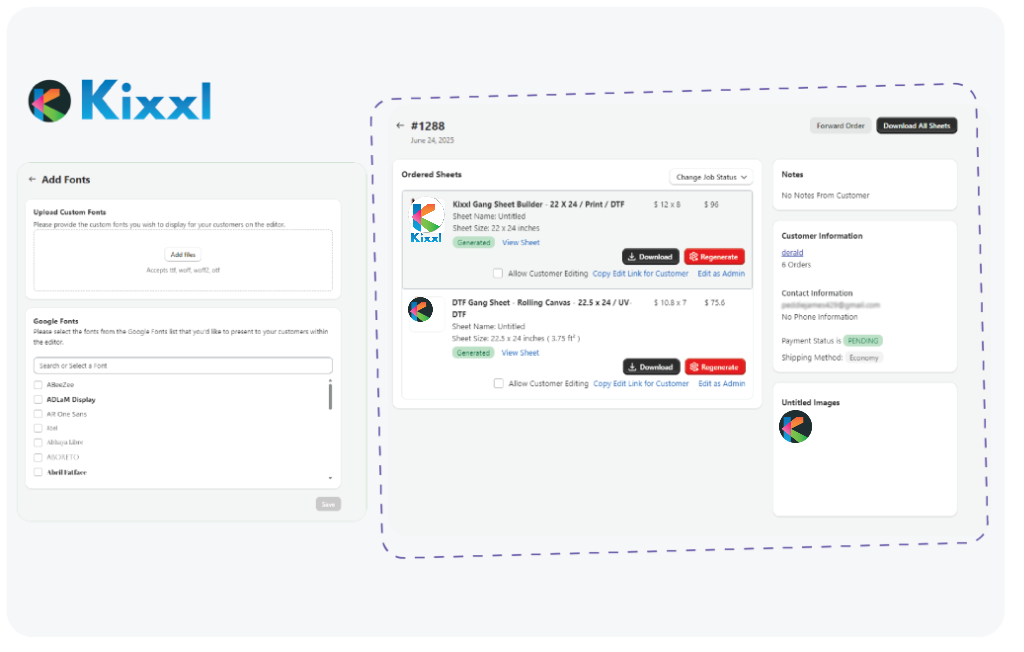
Kixxl provides an Order Breakdown Report that gives admins a detailed overview of each order.To access the report: Go to Kixxl → Orders Open the desired order. Click the Order Breakdown Report button on the top right corner. A new window opens, displaying a detailed summary of the order. The report can be viewed […]
How Admins Can Generate a Sheet into different Width Size?
Kixxl allows admins to generate gang sheets in a different sheet size than the one originally ordered by the customer. This feature is designed for situations where the requested sheet size is temporarily unavailable. For example, if a customer orders a 22 × 24 inch sheet but that sheet size is out of stock, the […]
Kixxl’s Credit Reminders for WooCommerce Users
Kixxl automatically reminds its WooCommerce users via email to recharge their prepaid credits when they have used 80–90% of their available credit balance. Why this feature is useful: Prevents you from running out of credits unexpectedly. Helps ensure your orders and workflows continue without interruption. Gives you enough time to purchase additional prepaid credits before […]
How to Implement front/back Transfers as a Single Product Mapping?
In Singles Builder while mapping a product, now you can map multiple transfers as a single product (under the Edit Product section). This section means that one product or variants of one product can include multiple transfer designs, such as a front print and a back print, while still being treated as a single product […]
Keyboard Shortcuts for Kixxl’s Canvas Zoom
While creating a gang sheet in the Kixxl Editor, you can use the Zoom In / Zoom Out button located at the top of the editor to adjust the canvas view. You can also use following keyboard shortcuts for faster navigation: Ctrl + Plus (+) to zoom in Ctrl + Minus (-) to zoom out These […]
How Customers Can Change and Fix the Background Color While Designing on the Kixxl builder?
Instead of a transparent background, customers can now pick a background color while designing on Kixxl builder. Once chosen, this color stays applied for the rest of that editing session giving a more consistent design view while customers work. To enable this setting: Go to Kixxl → editor Click the settings icon on the top […]