Key Takeaways
- There is no one-size-fits-all DTF gang sheet. The right size depends on your designs, quantities, spacing, and available film width.
- Area alone isn’t enough to calculate sheet size. Design shape, orientation, spacing, and nesting all affect how much film you need.
- Use templates for repeatable orders. Fixed-size templates can make regular production faster and easier.
- Custom or rolling gang sheets offer more flexibility. They can be useful for mixed-size or unpredictable orders.
- Gang sheet builders like Kixxl can simplify the process. Features like automatic nesting, rotation, spacing, and custom sizing can reduce manual work.
How to Choose the Right Gang Sheet Size?
Choosing the right DTF gang sheet size can feel confusing, especially if you are new to DTF printing. Should you use a 22″ × 24″ sheet? Do you need a 22″ × 36″ sheet? How many designs can actually fit?
The answer depends on your artwork, the number of transfers you need, their dimensions, the available film width, and how efficiently the designs are arranged.
In simple terms, the best DTF gang sheet is usually the smallest practical sheet that can fit all your designs with enough space for production and cutting.
What is "Ganging" ?
Instead of printing each design on a separate piece of film, you can place several designs on one sheet. This can help you use your film more efficiently and reduce unnecessary empty space.
For example, imagine you need to print:
- 10 small logos
- 5 front-shirt designs
- 10 sleeve designs
Instead of printing each design separately, you can arrange them together on one larger sheet.
This is called ganging.
A gang sheet can contain identical designs, different designs, or a mixture of both.
What Size of a DTF Gang Sheet is Perfect?
There is no single gang sheet size that works for every order. The right size depends mainly on:
- How many designs you need
- The dimensions of each design
- How many copies of each design you need
- Your DTF film width
- The required spacing between transfers
- How efficiently the designs can be arranged
For example, a customer ordering five 4″ × 4″ logos does not need the same sheet size as a customer ordering twenty 12″ × 10″ shirt designs.
A simple way to think about it is:
- Choose the smallest sheet that comfortably fits your artwork while leaving enough space for handling, cutting, and production.
Don’t choose a larger sheet simply because it can fit the designs. Extra unused film can increase material waste. At the same time, don’t make the sheet so tight that designs overlap or become difficult to cut.
👉 Also, if you want to price your DTF Transfers for better profit, Read our Guide here.
DTF gang sheets can come in different widths and lengths depending on the printer, film supplier, and production setup.
Some commonly used dimensions include:
Gang Sheet Size |
Typical Use |
|---|---|
10″ × 12″ |
Small orders and a few small transfers |
11″ × 17″ |
Small batches and multiple small designs |
22″ × 24″ |
Medium-sized orders |
22″ × 36″ |
Multiple apparel transfers |
22″ × 48″ |
Larger batches |
22″ × 60″ |
Higher-volume production |
These should be treated as common examples, not universal industry standards.
For example, 22-inch-wide film is common in many DTF workflows, but not every printer or supplier uses the same width. Some systems support different film widths and maximum printable lengths.
Before creating a template, check the specifications of your printer, film, RIP software, and transfer supplier
How different sheet sizes might be used:
Here’s a simple reference to help you understand:
Sheet Size |
Suitable For |
Example |
|---|---|---|
10″ × 12″ |
Small transfers |
Several logos |
11″ × 17″ |
Small batches |
Logos, labels, small graphics |
22″ × 24″ |
Medium batches |
Several front or back designs |
22″ × 36″ |
Larger orders |
Multiple shirt designs |
22″ × 48″ |
Bulk production |
Multiple repeated designs |
22″ × 60″ |
High-volume work |
Large mixed orders |
The actual number of designs you can fit depends on their size and shape.
For example, you could fit many 3″ × 3″ logos on a sheet, while only a few 10″ × 12″ designs may fit.
That’s why sheet dimensions alone don’t tell you how many transfers you can print.
How Many Designs Can Fit on a DTF Gang Sheet?
This is one of the most common questions about gang sheets. The answer depends on the dimensions of your designs.
Consider two orders:
- Order A
You have 20 logos that are 4″ × 4″.
Because these designs are relatively small, you may be able to arrange many of them together efficiently.
- Order B
You have 20 designs that are 12″ × 10″.
These designs require much more space, so the same sheet will hold significantly fewer transfers.
The shape of the artwork also matters. A long, narrow design may fit into an otherwise unused space beside another design. A square design may not.
This is where nesting becomes important
How to Calculate the Exact Size of a Gang Sheet You Need?
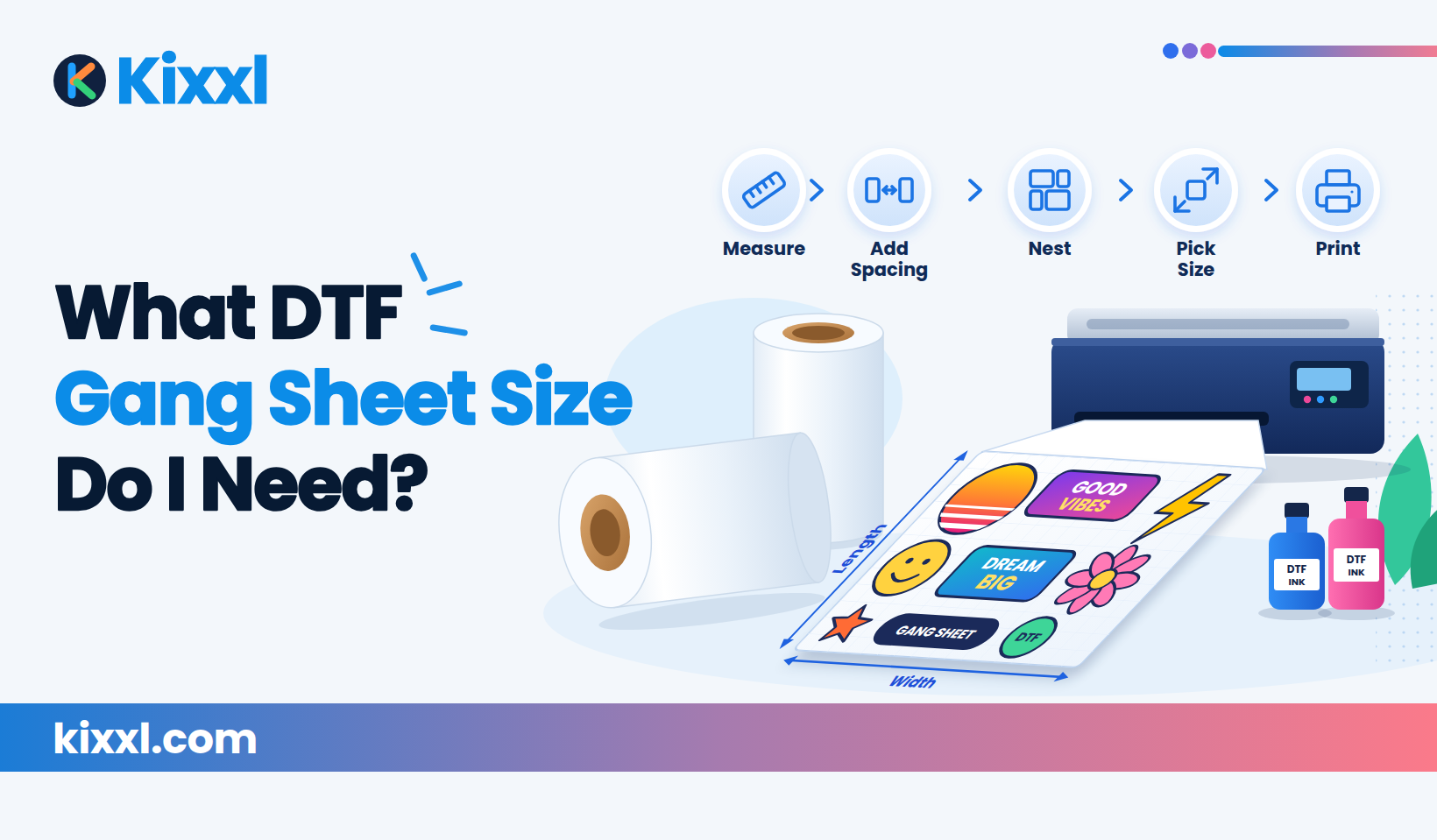
You don’t need complicated mathematics to estimate your sheet size. Follow these steps:
1. Measure Every Design
Start by finding the actual print dimensions of every design. For example:
- Logo A: 4″ × 4″
- Design B: 8″ × 10″
- Design C: 10″ × 12″
Don’t use the size of the T-shirt or hoodie to determine the transfer size. The transfer size is the actual size you want the design to print.
2. Decide How Many Copies You Need
Next, write down the quantity for each design. For example:
| Design | Size | Quantity |
|---|---|---|
| Logo A | 4″ × 4″ | 10 |
| Design B | 8″ × 10″ | 5 |
| Design C | 10″ × 12″ | 3 |
Now you know what needs to go onto the sheet.
3. Consider Your Film Width
Your film width creates an important limit. For example, if your workflow uses 22-inch-wide film, you generally need to arrange your designs within that available width.
You can’t simply add all design widths together. Instead, designs need to be arranged across the available width and then extended along the length of the sheet.
Add Kixxl CTA for adjusting sheet width auto.
4. Leave Enough Space Between Designs
your transfers shouldn’t touch or overlap. You need enough space for:
- Cutting
- Handling
- Peeling
- Separating transfers
- Avoiding accidental contact
The exact spacing you should use depends on your printer, film, cutting process, and supplier recommendations.
5. Arrange the Designs Efficiently
Try different orientations. For example, rotating a 4″ × 8″ design can sometimes allow it to fit into a space that would otherwise be wasted. Small designs can also be placed around larger designs. This is called nesting.
6. Choose the Smallest Practical Sheet
Once your artwork is arranged, look at the total width and length.
If everything fits comfortably on a 22″ × 36″ sheet, there may be no reason to use a 22″ × 48″ sheet. The goal isn’t to use the biggest sheet but to use the film efficiently.
Calculating the Gang Sheet Size by Area Only: Why It Doesn't Add Up?
A common mistake is adding the area of every design and assuming that tells you the required gang sheet size.
For example:
- A 10″ × 10″ design has an area of 100 square inches.
- Ten of those designs have a total area of 1,000 square inches.
- But that doesn’t mean a 20″ × 50″ sheet will automatically fit them perfectly.
Why? Because the designs have to physically fit within the sheet’s width.
Also, consider:
- Design shape
- Orientation
- Spacing
- Empty gaps
- Film width
- Layout
Think of it like packing boxes into a truck. Knowing the total volume of the boxes doesn’t automatically tell you how they will fit inside the truck.
The same idea applies to gang sheets.
DTF Gang Sheet Templates
A DTF gang sheet template is a predefined layout or document that helps you organize your artwork on a specific sheet size. Templates can make the process easier because you already know the available working area.
For example, you might create templates for:
- 11″ × 17″
- 22″ × 24″
- 22″ × 36″
- 22″ × 48″
- Custom or rolling lengths
A template can be especially useful if your shop frequently receives similar orders.
Fixed-Size Gang Sheet Templates
A fixed-size template has a predetermined width and length. For example: 22″ × 36″
You simply place your artwork inside that area.
Best for:
- Repeatable orders
- Standard production jobs
- Shops using fixed film sizes
- Beginners who want a simple workflow
The downside is that you may have unused space if your order doesn’t fill the entire template.
Custom Gang Sheet Templates
A custom gang sheet allows you to adjust the sheet dimensions according to your artwork. For example, instead of forcing a small order into a 22″ × 48″ sheet, you might create a shorter sheet. This can help reduce unnecessary film usage.
Rolling Gang Sheets
A rolling gang sheet gives you a flexible canvas where the length can grow as you add designs. This can be useful when you don’t know the exact sheet length in advance.
For example, you may start with: 22″ wide and continue adding designs until the required length is reached. Rolling sheets can be especially useful for mixed orders with different design sizes.
How Much Space Should You Leave Between DTF Transfers?
There is no single spacing value that applies to every DTF workflow. The right spacing depends on your:
- Printer
- Film
- RIP software
- Cutting method
- Transfer supplier
- Production process
The important thing is to avoid designs touching or overlapping. If you place transfers too close together, separating them can become difficult.
If you leave excessive gaps, you may waste film. So the goal is to find a practical balance between easy handling and efficient film usage. If your supplier provides spacing recommendations, follow those first.
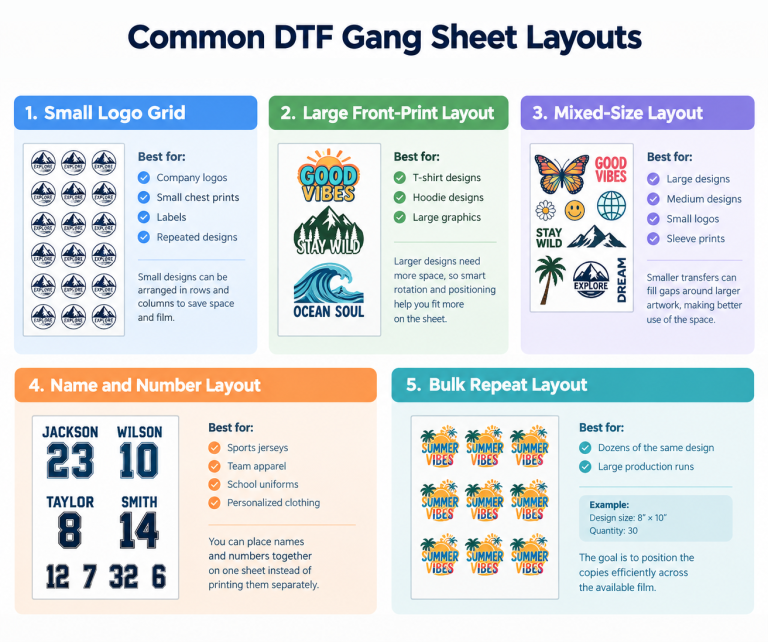
How to Reduce DTF Gang Sheet Waste?
Here are some practical ways to reduce wasted film.
1. Rotate Designs
Don’t assume every design needs to remain in the same orientation. Rotating a design can sometimes help it fit into available space.
2. Combine Different Sizes
Don’t automatically create separate sheets for every design size. A small logo might fit into an empty area beside a larger shirt design.
3. Fill Empty Spaces
Look for unused areas between larger designs. Small Logos, Names, Numbers, Sleeve graphics can sometimes fit into these spaces.
4. Avoid Excessive Spacing
Give designs enough room for production, but don’t leave unnecessarily large gaps.
5. Use Automatic Nesting
A gang sheet builder with automatic nesting can analyze the designs and arrange them to make better use of the available space. This is particularly useful when an order contains dozens of different designs.
6. Consider Custom-Length Sheets
If fixed sheet sizes leave a lot of unused space, a custom or rolling sheet can help you create a layout closer to the actual size of your order.
Fixed-Size vs. Custom/Rolling DTF Gang Sheets
| Feature | Fixed-Size Gang Sheet | Custom/Rolling Gang Sheet |
|---|---|---|
| Dimensions | Predefined | Flexible |
| Setup | Simple | More flexible |
| Best for | Repeatable orders | Mixed or unpredictable orders |
| Film usage | Can leave unused space | Can better match the order |
| Layout flexibility | Limited | High |
| Suitable for | Standard jobs | Variable-size jobs |
Neither approach is suitable for every order. If your shop regularly prints the same types of designs, fixed templates can make production simple. But if every order is different, custom or rolling sheets can give you more flexibility.
Common DTF Gang Sheet FAQs...
1. How many shirts can fit on a DTF gang sheet?
There is no fixed number. A gang sheet is sized around transfers, not shirts. The number of shirts depends on the dimensions and quantity of the transfers you need.
2. What size DTF gang sheet do I need for 10 shirts?
It depends on the size of the transfers. Ten 4″ × 4″ logos require much less film than ten 12″ × 10″ front prints. Measure the actual transfer dimensions and arrange them based on your available film width.
3. How many 10" × 12" designs fit on a gang sheet?
It depends on the sheet dimensions, film width, spacing, and orientation. For example, a 22-inch-wide sheet can potentially accommodate more than one 10-inch-wide design across its width, but the exact layout depends on your required spacing and the remaining sheet length.
4. What is the maximum DTF gang sheet size?
The maximum size depends on your printer, film, RIP software, and supplier. There isn’t one universal maximum size for all DTF systems.
5. Can I make my own DTF gang sheet template?
Yes. You can create templates based on your printer’s supported film dimensions and your typical orders. Templates are particularly useful when your shop repeatedly handles similar jobs.
6. What width should a DTF gang sheet be?
The width should generally match the usable width supported by your DTF printer and film. Don’t assume that every DTF setup uses the same width.
7. Are DTF gang sheets always 22 inches wide?
No. 22 inches is a common width in many DTF workflows, but different printers and suppliers can support different widths. Always check your equipment specifications.
8. Should I use a fixed or rolling gang sheet?
It depends on your workflow. Fixed sheets are convenient for predictable, repeatable orders. Rolling or custom sheets can be useful when orders contain different design sizes or quantities.
9. Is a larger gang sheet always cheaper?
No.
A larger sheet can be useful for bulk orders, but if it contains a lot of unused space, you may simply be using more film than necessary.The goal is efficient film usage, not maximum sheet size.
Final Takeaway
Choosing a DTF gang sheet size isn’t about finding one “standard” size that works for every order. instead the most practical approach is to measure your artwork, arrange it efficiently, and choose the smallest sheet that comfortably fits the complete order.
If you’re creating gang sheets manually, Kixxl can also simplify the process by automatically arranging designs, rotating artwork, and helping you make better use of available film.
The better your layout, the less unnecessary film you use and the easier your production workflow becomes.